Bitmap Graphics
- Summary
- You display and manipulate numbers in an array as bitmap images
- Objectives
-
- Reinforce knowledge of arrays
- Practice using formatted input
- Utilize function pointers
- Apply bitwise operations for fun
and profit - Consider problem decomposition
Introduction
You have learned to represent color images as 2D arrays of red, green, and blue values. You also know numbers are just bits. In this assignment, we scale down our notion of an image by scaling up our notion of numbers to create, manipulate, and display a "picture" from the bits within an array of numbers.
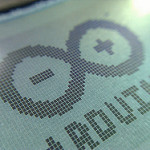
A common example of this type of image is in simple LCD displays,
such as the one shown at right. Such displays often accompany
resource-constrained systems. Because C has no built-in
"bit" type, we will have to be a little more creative to avoid
wasting space with a 2D array of integers (masquerading as
bools), each of which may be
holding a single bit with space for 8, 16, or likely even 32 bits.
You will store an image as a 1D array of numbers, where each index
holds an entire image row. The number in each row is an unsigned
integer whose bits each represent a single pixel that may be "on" or
"off." To maximize our resolution, you will store each row of the
image as a single unsigned long,
which is typically 8 bytes (or 64 bits). However, your program
should use C's sizeof operator to
programmatically determine this "width" and use the same value as the
height (which is the array length).
As an example, the number
1150669964571590624 might be
rendered as
----*********-------------****---*****------------*********-----
where each 0 in the binary version of the number has been replaced
with a "-" and each 1 has been replaced with a
"*". As a simpler example, the
number 7L is represented as 61 zeros
followed by 3 ones. Note that the L in the number
constant 7L forces the compiler to
interpret the integer as long, rather than the standard width.
If the underlying data type for each row
was unsigned short, which is just
two bytes wide, the number 4242 = 212 +
27 + 24 + 21 might be
rendered as follows.
---*----*--*--*-
Note that we have made the somewhat arbitrary choice to render the "on" bits in the order we typically think of them being in memory (from higher-order to lower-order), which means the "index" to the column is decreasing from left-to-right.
Requirements
Your program should repeatedly issue a command prompt supporting the following operations:
- Entering an image
- Flipping all the bits in the image (image complement)
- Shifting the image one bit to the left
- Shifting the image one bit to the right
- Shifting the image one row upward
- Shifting the image one row downward
- Printing the image to the screen
- Exiting the program
Entering the image should consist of reading and storing all the rows as
unsigned long integers (rather
than a sequence of bits). That is, one should enter
4242 rather than
0001000010010010 for a 16-bit image width.
The print operation is perhaps best visualized using a space for an "off" bit and an asterisk for an "on" bit).
To utilize good program decomposition and code reuse through
abstraction, your program should use a higher-order procedure, which
accepts a pointer to a function that transforms a single row (i.e.,
an unsigned long). This higher-order
procedure can then handle requests to shift all bits left or right
and complement the image, given an appropriate row transformer
function pointer.
You should use single-character commands, with interpretation
supported by case statements.
Your program should use no global variables.
Your print function should not extract and store the bits for each row in an intermediate array. Instead, print each bit's representation directly using bitwise operations to extract the value (on or off) of each bit in turn.
Tips
-
Remember to use the
Lspecifier on any numeric constants used in binary (i.e., two-argument) bitwise operations—otherwise their widths may not match and you may get unpredictable results. -
Use function
tolowerfor the inevitable Caps Lock lover. - When possible, use C's ternary conditional operator to write appropriately compact code (particularly when printing).
-
To easily test your procedures with smaller images, you can
use
#definedirectives to change the datatype throughout your program at compile time. For example,
would allow you to use#define DTYPE unsigned long #define DFRMT "%lu"DTYPEas the data type for all variable, parameter, and return types in place ofunsigned long. Similarly, you can useDFRMTas the corresponding format string for the data type inprintforscanfcalls. -
Accelerate your testing by packaging all inputs into a text file
and using
shell
I/O redirection, as follows.
./bitmap-graphics < image16.cmd
The "interactive" prompts will still appear, but their input will come from the file specified. The output might also therefore include the result of a print command. For the 16-bit wide image (stored inunsigned shorts) above, you would see the following output.******* ** ** ** ** * * * * * * * * * * * * * * * * * * ** * * * * * * * * * * * * * * * * ** ** ** ** ******* *-
The file
bitmap-graphics-image16.txtcontains the data (but not the commands, which are specific to your program and would need to be added) for the 16-bit image above. -
The file
bitmap-graphics-image64.txtcontains a larger image you should be able to display using 64-bitunsigned longimages.
-
The file
Grading
In addition to the general grading guidelines for evaluation, the assignment is worth 30 points.
- [20 points] Main Program
- [1 point] Function prints menu of possible operations
- [2 points] Verifies user input and handles errors appropriately
- [2 points] Higher-order function processes rows with function pointer
- [5 points] Functions correctly shift image up and down
- [3 points] Functions correctly shift bits left and right
- [1 points] Function correctly complements image
- [2 points] Function correctly reads an image
- [3 points] Function correctly prints image to the screen
- [1 point] Function exits the program
-
Evaluation of program Structure, Comments, Design, and Testing.
(Additional points not given, but points may be deducted.) -
[10 points] Testing and Development
- [2 points] Functions give clear and complete pre- and post-conditions
- [3 points] Test plan enumerates the ranges of problem circumstances
- [2 points] Tests compare cases to be considered with expected outcomes
- [1 point] Transcript records actual test runs
- [2 points] Summary statement explains why the program is correct
-
[≤5 points] Extra Credit
You may earn extra credit by enhancing your program and tests in one significant way. Good possibilities include:
-
[1 point] Make all shift functions
barrel
shift (i.e., wrap around). - [2 points] Add the capability to set the value of a particular image bit
- [5 points] Dilate the image by setting a bit to 1 if any of its eight adjacent bits are set.
-
[5 points] Transpose the image by exchanging indices. That is,
image[c][r] ← image[r][c].
-
[1 point] Make all shift functions
A five point penalty will apply to any submission that includes personally identifying information anywhere other than the references/honesty file.
Global variables may not be used anywhere; use of any global variable will result in a grade of zero. Instead, use parameters to pass values into functions.
