Lab: Stereo Disparity
CSC 295 - Computer Vision - Weinman
- Summary:
- You will estimate depth via stereo disparity by finding
the minimum SSD between small patches of a rectified stereo image
pair.
Deliverables
- The Matlab script used to make your comparisons and generate all figures
- (10 points) Plot of RMS versus SSD window size (D.2)
- (10 points) Observations on RMS and window size (D.3)
- (10 points) 2-D images of true and hypothesized disparity (E.3,
E.5)
- (10 points) Analysis of disparity results (E.6)
- (10 points) Two post-processed RMS values and observations/comparisons
(F.2)
- (10 points) Plot of RMS versus post-processing parameter (F.3)
- (10 points) Observations of post-processing results (F.4)
- (10 points) Post-processed disparity image (F.5)
- (10 points) Post-processed disparity image observations (F.6)
- (10 points) Professionalism of write-up
Preparation
Load the rectified stereo pair of images from the MathLAN:
-
/home/weinman/courses/CSC262/images/view1.png
/home/weinman/courses/CSC262/images/view5.png
To simplify our initial operations (though you may want to revisit
this simplification later), convert both of these to grayscale doubles.
Load the ground truth disparity values from an image on the MathLAN:
-
/home/weinman/courses/CSC262/images/truedisp.png
The left and right images above have been scaled down by a factor
of 3 so that they are easier to work with. You will need to scale
down the disparity image accordingly. Divide the entries by 3, but
be sure to convert them to doubles first using double (not
im2double!).
The entries in the true disparity that have values of zero are not
at an infinite distance (as zero disparity would indicate), but instead
are occluded between views. Change all the zero values in your true
disparity to NaN. We will discount these when we measure
the error in our disparity predictions.
Method
We will be using the sum of squared differences (SSD) as a feature
matching criterion, because it is very efficient and easy to do with
convolutions. However, it does require a little bit of thought. Say
we have two images of the same size, A and B. To
measure the SSD between all 5×5 patches of the images, first
we need to calculate the squared differences C. This is simple
to do in Matlab, with vectorized operations.
Next, we need to add up (sum) these squared differences. This can
easily be done with a convolution over C. One option would
be to use a 5×5 matrix of ones as the convolution kernel.
However, this kernel is separable so we can do much, much better (especially
with larger patches) if we use its separable components. To make locating
the responses easier, we would use a convolution that returns a value
the same size as C.
Once we have the convolution, each location in the result gives the
SSD between A and B over a 5×5 window centered
at that location.
How does this help us find the disparity? We will need to first make
sure that A and B represent the stereo pair of images,
but with one of them translated by the hypothesized disparity amount.
Of course, we are looking for the disparity that gives us the minimum
SSD, so we need to try several values for the disparity, and then
keep the one that gives us the smallest SSD. The remainder of the
lab will guide you through the set-up for this problem. Then you will
need to do some creative exploration to improve your results.
Exercises
A. Data Setup
-
What is the largest disparity you can expect
this data to have? Ask your ground truth image.
-
As mentioned in the introduction, we need the pair
of images we want to compare (via local SSD convolutions) to be the
same size. However, if one of them is translated by the disparity,
they may no longer be the same size. We will need to make sure we
can fully handle this case by "enlarging" our images.
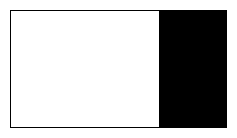
Use the Matlab command padarray to add zeros to the end of
both images (not the disparity). How many? As many as the largest
disparity. The resulting images should look something like this:
-
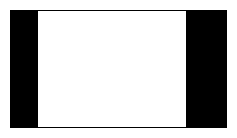
The provided command imtranslate
(not a Matlab standard) returns an image of the same size as its input,
but shifted (or translated) along the rows and columns a specified
amount. Use this to translate the padded version of the right (view5)
stereo image by 50 pixels horizontally, filling in the "new" pixels
with zeros.
Note: You will need to specify that imtranslate not
introduce an extended border. The result should look something like
this:
-
You now have a pair of images that are the
same size, where one is translated by a (single) hypothesized disparity.
Create a third image that is the squared difference between these
two.
Note: Don't forget to use vectorized component-wise operations.
-
Finally, calculate the sum of these squared
differences over 5×5 windows using a convolution with separable
filters. Ask for a result that is the same size as the input.
B. Multiple Disparities
In Part A, you found the SSD for a single disparity everywhere. We
want to find the SSD for all possible disparities everywhere. After
that, we can choose the best disparity at each location. To do this,
we will construct a stack of SSDs whose first two dimensions are the
locations in the padded images, but with an extra (third) dimension
that corresponds to the disparity. Thus, the first slice is for a
disparity of 1, the fiftieth slice is for a disparity of 50. Yes,
this will be a large array, but fast vectorized operations in Matlab
often come at the cost of space over the benefit of time.
- Create a for loop that counts down from the largest
possible disparity (which you determined in A.1)
to one (the smallest possible disparity).
- Inside your loop, generalize the imtranslate operation of
A.3 so that it is specific to the current
disparity indicated by the loop variable.
- Inside your loop calculate the SSD (just as in A.4
and A.5) for that disparity.
- Assign the result as the appropriate slice of your three-dimensional
array (according to the loop variable).
Yes, running this loop might take a little while. But it's much faster
than doing two additional nested for loops over locations,
too.
C. Optimal Disparity
After running the loop you created in Part B, you should have a three-dimensional
array, where the third-dimension is the value of the SSD for each
disparity. Next we want to find the best disparity at each point.
Thus, we will be taking the min of the array along the third dimension.
Matlab's min command has the syntax
-
[C,I] = min(A, [], dim);
which returns in C the minimum value of
A along the dimension dim, and the
location (index) of that minimum value in I.
- Use min in the manner described above to find the lowest
disparity at each row and column of the original image (i.e., ignoring
the padding).
Note: The extra padding you added in A.2 is now
no longer needed. Thus, you only need to take the min using
the original columns of the image.
The result you get should be the same size as the true disparity image
you loaded from truedisp.png.
- Use find to determine the linear (not subscript) indices
of all non-zero values in truedisp.png.
-
Calculate the RMS (root mean square) error between
your prediction of the optimal disparity using SSD and the actual
disparity, using only the non-occluded pixels in the actual disparity.
Note: You can use isnan to detect NaN values
or the helpful command-line option 'omitnan' for mean.
D. Parameter Adjustment
- It is possible that your 5×5 SSD window is too small or too
large. Repeat your method and RMS measurement as above for several
other values of the window size.
-
Create a plot of the RMS versus the SSD window
sizes you try. Save this plot.
-
How would you characterize what you found? What
value(s) are optimal? Why do you suppose they are the best? Are there
any other trade-offs involved?
E. Visualization
Single measures have limited utility. It is often better to get a
better sense of the results by visualizing them. Fortunately, we can
do that via Matlab's plotting capabilities.
You can simply take the disparity as the z-coordinate for a plot,
with no need of x and y coordinates. In addition, it is useful
to turn off the plotting of edges between grid points, since there
are too many. Finally, we are displaying an image, rather than a function,
so we need to tell Matlab to use image-based ij coordinates rather
than the more common functional xy coordinates. All together:
-
surf(Z, 'EdgeColor','none');
axis ij;
- Use commands like the above to create a plot of the true
disparity. You may wish to use the figure window's "Rotate 3-D"
option to visualize the structure indicated by the disparity map.
- Use a similar process to visualize your predicted disparity in 3-D.
-
Create a 2-D version of the true disparity
by using imshow (with relaxed bounds) and colormap
jet to get the same colorful visualization that is in the 3-D surface.
- In the places where the true disparity is NaN, set the values
in your hypothesized disparity to NaN. (These regions are
occluded and no reconstruction is valid.)
-
Create a (2-D) image of your (adjusted) hypothesized
disparity using the window size with the best RMS and save it.
-
How do the images compare visually? Analyze
your results, making as many observations and conjectures as you can.
F. Handling Noise
You may have noticed that there are some strange outliers in your
reconstruction. Depth (disparity) images are like any others in that
they can suffer from "noise" effects. Here we will try some "post-processing"
on the disparity results to see if they can be improved.
- Apply at least two noise-reduction methods to your disparity image.
Be sure to clearly describe your approaches.
Note: Think carefully about whether to apply them before or
after you set the occluded values to NaN.
-
What are the RMS values (excluding occluded
pixels in the RMS calculation) for each processed result? Is either
an improvement over the best result in D.2?
-
For at least one of the methods you tried,
experiment with at least one of its parameters. Systematically plot
the RMS of the post-processed version versus the parameter values
you have tried.
-
What conclusions can you draw from your
numeric results?
-
Create an image of your "best" post-processed
disparity map as you did in E.3 and save it.
-
How does the visualization of disparity
compare to your original? Is this an improvement? Why or why not?
Project Starter Idea
One key observation by Kanade and Okutomi in "A Stereo Matching
Algorithm with an Adaptive Window: Theory and Experiments" (IEEE
Trans. on Pattern Analysis and Machine Intelligence, vol. 16, pp.
920-932, 1994) is that square SSD windows are not always best. When
measuring the disparity over a region that is at an object boundary
(and thus a disparity discontinuity), we may want to minimize the
SSD using a window that only includes part of the object.
See if you can improve your reconstruction by using a set of 9 windows:
- the original square window
- 4 vertically and horizontally divided regions, i.e. a kernel of the
form
-
[ones(N+1,N/2+1) zeros(N+1,N/2)]
would include only the left-portion of a window (a vertically divided
region).
- 4 diagonally divided regions (see triu and tril
for creating such kernels).
The basic idea is to still loop over all the possible disparities,
but also loop over all 9 possible windows. However, you are now measuring
the SSD using kernels with different numbers of items, so you cannot
simply take the min. Your kernels will need to be "normalized"
for the number of elements they are summing the differences over.
The end result is thus still the same in spirit: find the configuration
(over disparity and window shape) that gives the best result.
Acknowledgments
The stereo and disparity images are from the 2005
Middlebury stereo dataset (Art image), which proclaims:
We grant permission to use and publish all images and disparity maps
on this website. However, if you use our datasets, we request that
you cite the appropriate paper(s):
Christopher J. Pal, Jerod J. Weinman, Lam C. Tran and Daniel Scharstein.
(2012). On Learning
Conditional Random Fields for Stereo: Exploring Model Structures and
Approximate Inference. International Journal of Computer Vision,
99(3), 319-337.
Copyright © 2010, 2012, 2015, 2019 Jerod
Weinman.
 This work is licensed under a Creative
Commons Attribution-Noncommercial-Share Alike 4.0 International License.
This work is licensed under a Creative
Commons Attribution-Noncommercial-Share Alike 4.0 International License.